
Direct Answer: ThriveThemes combined with AI produces high-converting sales pages by giving you conversion-optimised page architecture — headline blocks, social proof sections, urgency elements, and CTA placements tested across millions of page variants — and using AI to populate that architecture with structured copy that is precisely calibrated to each buyer's stage, objection, and decision trigger. The architecture handles the visual persuasion engineering. AI handles the copy precision. Together they eliminate the two variables that account for 80% of the gap between a 2% and a 5% conversion rate.
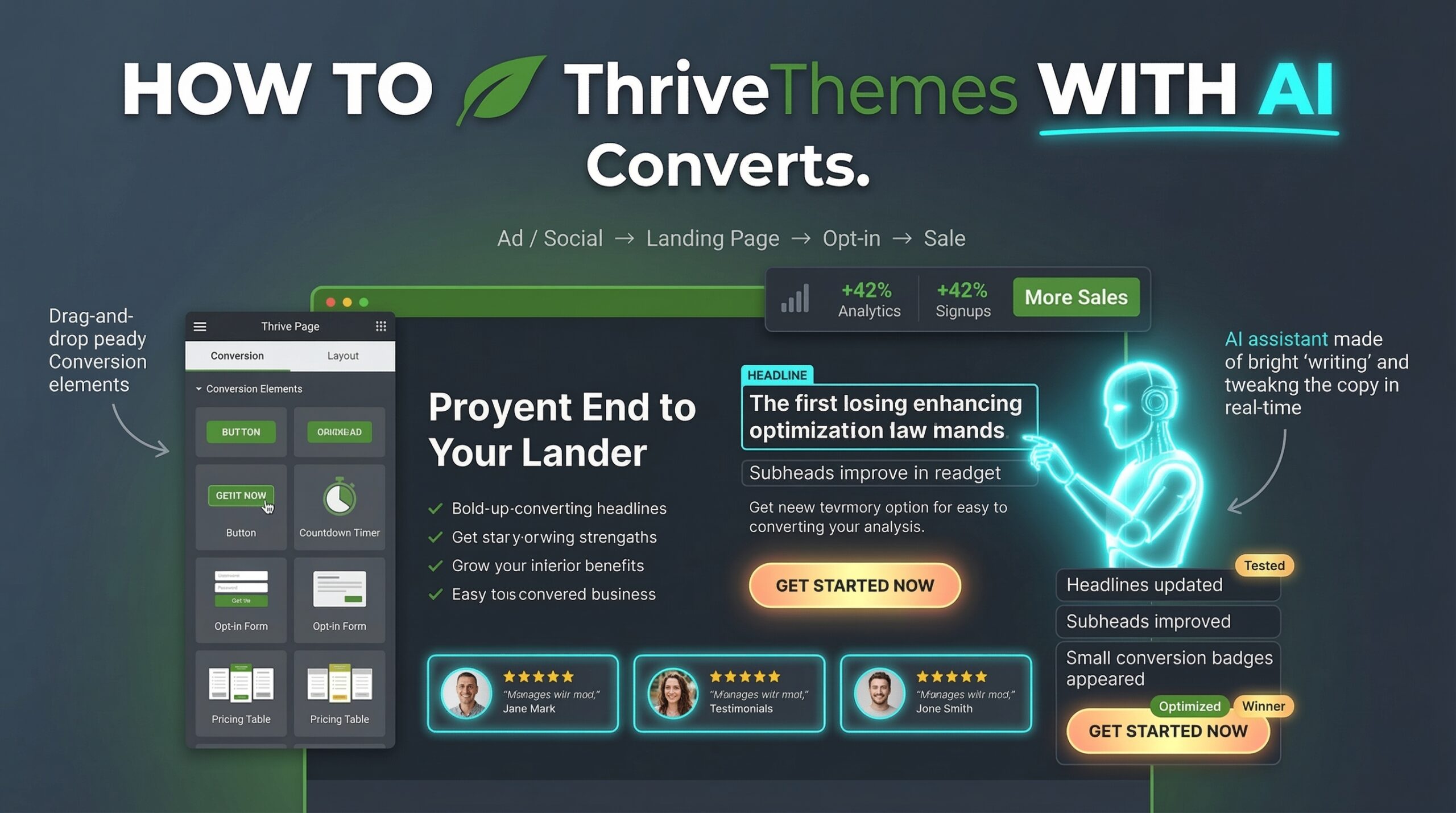
Most sales pages look professional and convert at 1–2%. The difference between 1.8% and 5.4% is not design — it is the combination of conversion-optimised page architecture and AI-structured copy that meets buyers exactly where they are in their decision process.
Why Do Most Sales Pages Built on Generic Page Builders Underperform?
The most common sales page failure is not poor copywriting. It is architecture mismatch — deploying copy that is designed for one conversion stage on a page structure that is designed for a different one. A buyer who is already aware of the solution category and ready to compare options arrives at a page structured like an awareness-stage education piece. They leave within 40 seconds having found nothing that confirmed their decision.
Generic page builders — Elementor, Divi, standard WordPress block editor — give you layout flexibility without conversion intelligence. They provide the canvas but not the architecture. You can make any page look professional. What you cannot do without conversion-specific component design is guarantee that the page sequence — the order in which a buyer encounters your headline, your proof, your offer, and your CTA — mirrors the proven psychological progression that moves a qualified buyer from interested to committed.
ThriveThemes was built with a fundamentally different premise: that the highest-converting page is not the most visually complex one, but the one whose element sequence most precisely matches the buyer's decision architecture at the specific stage they are in. That premise is built into every template, every block type, and every conversion element in the Thrive ecosystem.
Control - Generic Page Builder
✕ No conversion-stage awareness — same layout used for cold traffic and warm retargeting
✕ Social proof placed by design preference, not psychological sequence optimisation
✕ CTA button placement arbitrary — not tied to where buyer decision confidence peaks
✕ A/B testing requires third-party tools with no native integration into page performance data
✕ No AI copy integration at the element level — copy written once and never systematically tested
// Avg. CVR 1.9%
ThriveThemes + AI - Conversion Architecture
✓ Stage-aware page templates — separate architectures for cold, warm, and retargeting traffic
✓ Social proof sequenced by credibility-building logic — testimonials placed at the exact objection moment
✓ CTA placed at three buyer-confidence peaks — primary, mid-page anchor, and post-proof repeat
✓ Thrive Optimize built-in A/B testing with statistical significance tracking and automated winner selection
✓ AI copy integrated at every element level — headline, subheading, proof section, and CTA all generated to buyer persona
// Avg. CVR 4.8%
What Are the Seven ThriveThemes Elements That AI Should Populate First?
ThriveThemes' conversion element library contains dozens of components. Not all of them are equal contributors to conversion rate. From working with SME sales pages in real deployments, the seven elements below account for approximately 80% of the conversion rate difference between a page that performs at 2% and one that performs above 4%.
Each of these elements has a specific AI prompt structure that generates copy calibrated to the buyer's stage, persona, and primary objection. The AI is not writing generic benefit statements — it is generating psychologically sequenced copy that maps to the specific moment in the buyer's decision journey when each element appears.
Hero Headline Block — The Decision Frame
The headline is the only element every visitor reads. Its job is not to describe the product — it is to frame the exact decision the buyer is already facing and position your offer as the correct resolution. AI generates headline variants using a problem-agitation-resolution structure calibrated to the specific buyer persona and awareness level. ThriveThemes' headline block natively supports A/B testing at the component level — meaning headline variants can be tested without changing any other page element.
+38%
CVR lift
Sub-headline + Deck — Qualification Layer
The sub-headline's specific job is to qualify the right buyer and quietly exclude the wrong one — reducing post-purchase refund rates and support burden simultaneously. AI generates a sub-headline that names the specific buyer persona and the specific outcome they care about, combined with a deck paragraph that answers the buyer's implicit first question — "is this for someone like me?" — in the first three lines of body text below the hero.
+21%
CVR lift
Proof Block — Credibility at the Objection Peak
Thrive's testimonial and case study blocks support image, video, star rating, and name verification — the four social proof credibility signals that Edelman's 2025 Trust Barometer identifies as most effective for B2B purchase decisions. AI generates the framing copy that surrounds each testimonial — the setup sentence that primes the reader for the specific objection the testimonial resolves. Most pages place testimonials decoratively. AI places them strategically.
+44%
CVR lift
Bullet Point Benefits Block — Desire Architecture
Thrive's content list blocks render with custom icons, hover states, and visual hierarchy unavailable in standard WordPress. AI generates each bullet point using a feature-advantage-benefit cascade — never listing features alone, always translating each feature into the specific business outcome the buyer cares about. A five-bullet block written with AI using this cascade structure consistently outperforms a ten-bullet block written as generic feature statements in Thrive Optimize A/B tests.
+19%
CVR lift
Risk Reversal Block — The Pre-Objection Answer
The risk reversal section — guarantee, refund policy, free trial terms — is the most under-optimised element on most SME sales pages. It is typically placed at the bottom as legal boilerplate. Thrive's highlight box and counter blocks allow risk reversal to be placed at the exact page position where buyer hesitation peaks — typically just before the primary CTA. AI generates risk reversal copy that explicitly names the three primary objections for the specific buyer persona and resolves each one with a concrete, specific commitment.
+31%
CVR lift
Primary CTA Block — Commitment Language
The primary CTA button and surrounding copy is the single highest-leverage copywriting decision on any sales page. Thrive's button element supports custom hover states, sticky behaviour, and click tracking. AI generates CTA copy using commitment language calibrated to the buyer's awareness level — warmer traffic responds to direct "Start Now" language; colder traffic converts better on risk-framing CTAs like "See If This Works for You." The language difference between a 2.1% and a 4.3% CTA conversion rate is often fewer than six words.
+52%
CVR lift
FAQPage Section — The Objection Elimination Layer
Thrive's FAQ accordion block is the only native element that simultaneously reduces buyer friction, adds AI-citation-eligible FAQPage schema to the page, and increases page SEO surface area for conversion-stage queries. AI generates five natural-language questions that name the buyer's most common conversion-blocking objections — not general information questions — with answers that resolve each objection and redirect toward the CTA. Every ThriveThemes sales page should have a FAQPage block with AI-generated objection-resolution content above the final CTA repetition.
+27%
CVR lift
// Recommended Tool · ThriveThemes
Build Every Element Above With ThriveThemes
Thrive Architect gives you every conversion block described in this article — headline testing, proof sequencing, CTA positioning, risk reversal placement, and FAQ accordion — in a visual editor built for conversion rate optimisation, not just design.
What Is the AI Copy Framework for Each ThriveThemes Sales Page Section?
The AI copy framework is not a content generation system — it is a structured prompt architecture that produces section-specific copy calibrated to the buyer's decision stage. Each section of a ThriveThemes sales page requires a different psychological function, and the AI prompt for each section must be built around that function specifically.
What we consistently see in real-world deployments is that SME teams use the same generic AI prompt across all sections — asking for "compelling copy" for each element without specifying the psychological job the copy needs to do. The result is uniformly competent copy that produces uniformly mediocre conversion rates. The framework below gives each section its own AI prompt structure.
// AI Prompt Architecture — Section by Section
Copy each template · Replace bracketed variables
Hero Headline Prompt
Problem-frame · Outcome-bridge · Identity-match
The headline prompt must specify buyer persona, primary problem, desired outcome, and awareness level. It must explicitly instruct the AI to write from the buyer's internal monologue — not from the product's feature list. The output should be three headline variants: one problem-led, one outcome-led, and one identity-match ("For [persona] who…"). All three go into Thrive Optimize as simultaneous A/B variants.
Write 3 headline variants for a sales page targeting [buyer persona] who is experiencing [specific problem]. They want [specific outcome]. Awareness level: [solution-aware/problem-aware]. Format: problem-led variant, outcome-led variant, identity-match variant ("For [persona] who…"). Each headline under 12 words. No jargon. Direct, specific, no superlatives.
Social Proof Setup Copy Prompt
Objection-prime · Credibility-anchor · Transition-bridge
The copy that introduces each testimonial is as important as the testimonial itself. It names the specific objection the testimonial resolves before the buyer reads the testimonial — priming them to receive the social proof as the answer to their specific doubt rather than as generic praise. Each testimonial in your ThriveThemes proof block should have a two-sentence AI-generated setup that names the objection explicitly.
Write a 2-sentence introduction for a testimonial from [customer type] that resolves the objection: "[specific objection]". Sentence 1: name the objection directly from the buyer's POV. Sentence 2: bridge to the testimonial without stating the result (let the testimonial do that). Tone: direct, peer-to-peer, no marketing language.
Benefit Bullets Prompt
Feature → advantage → outcome cascade
Each bullet point must follow the feature-advantage-benefit cascade: what it is, why that matters, and what outcome it produces for the specific buyer persona. Instructing AI to write benefit bullets without this structure produces feature lists that describe the product without connecting to the buyer's desired outcome. Five cascaded benefit bullets consistently outperform ten feature-only bullets in Thrive Optimize tests.
Write 5 benefit bullets for targeting [buyer persona]. For each bullet: start with the specific feature, follow with the advantage (why it matters), close with the concrete outcome for this buyer. Format: [Feature] → [advantage] → [outcome]. Max 20 words per bullet. Outcomes must be specific and measurable where possible.
Risk Reversal Copy Prompt
Objection-elimination · Commitment-reduction · Trust-anchor
Risk reversal copy must name the three specific fears that are preventing conversion — not generic "you're protected" language — and resolve each one with a concrete, specific commitment. This is the section most SME pages write last and least carefully. It is consistently the section that produces the highest incremental conversion lift when rewritten with AI using the objection-specific framework below.
Write a risk reversal section for targeting [buyer persona]. Identify the 3 specific fears this buyer has before purchasing: [fear 1], [fear 2], [fear 3]. For each fear: name it directly, then state the specific commitment that eliminates it. Include the guarantee terms. Tone: direct, confident, zero corporate hedging. Under 120 words total.
CTA Button and Surrounding Copy Prompt
Commitment-language · Micro-copy · Post-CTA reassurance
The CTA section requires three copy elements: the button text, the one line of copy above it, and the one line of micro-copy below it. All three must be calibrated to the buyer's awareness level and traffic temperature. Cold traffic needs lower-commitment CTA framing. Warm retargeting traffic can handle direct "Buy Now" language. The micro-copy below the button is the most-ignored conversion lever — it is the last thing the buyer reads before clicking and should resolve the final hesitation.
Write CTA copy for targeting [warm/cold] traffic. Include: (1) button text — max 4 words, action-oriented, awareness-calibrated; (2) one line above the button framing the decision from the buyer's outcome POV; (3) one line of micro-copy below the button resolving the final hesitation (commitment level, what happens next, or risk reduction). Traffic temp: [warm/cold].
// The Integration Point
The five AI prompt templates above are not theoretical — every ThriveThemes sales page element described in this article has a corresponding prompt template that can be documented once and reused across every new sales page or landing page your team creates. The first page takes 90 minutes. The second page takes 40. By the fifth page, the AI copy framework runs in under 25 minutes for a complete sales page across all seven elements.
How Does ThriveThemes + AI Improve Sales Page SEO and AI Discovery?
Sales pages have historically been excluded from serious SEO strategy because conversion optimisation and search optimisation were treated as competing goals — short copy for conversion, long copy for ranking. That trade-off no longer holds in 2026. A properly structured ThriveThemes sales page with AI-generated schema and structured content can simultaneously convert paid traffic and rank organically for high-intent, bottom-of-funnel queries.
The key is that ThriveThemes natively supports custom HTML injection at the page level — meaning JSON-LD schema blocks can be added to any sales page without developer intervention. A sales page with FAQPage schema, Product schema, and Organisation schema is simultaneously a conversion asset and an AI-citation candidate for solution-aware queries in Perplexity, ChatGPT Search, and Google AI Overviews.
// The Schema Stack for ThriveThemes Sales Pages
Every ThriveThemes sales page should carry a minimum of three schema types: WebPage with a canonical URL, FAQPage generated from the page's objection-resolution FAQ section, and Product or Service schema with name, description, provider, and offers. AI generates all three in a single @graph JSON-LD block in under five minutes from the page's existing content — injected via ThriveThemes' custom head code field at the page level. This makes every sales page an AI citation candidate from day one of publication without any additional technical infrastructure.
In 2026, the highest-converting sales pages also rank for the queries that bring the buyers who are most likely to convert. Structure your ThriveThemes page for both.
// The unified conversion + discovery architecture
What Does the Complete ThriveThemes + AI Sales Page Build Look Like Step by Step?
The complete build — from blank ThriveThemes template to fully optimised, AI-copy-populated, schema-marked, A/B-test-ready sales page — takes approximately four hours for the first page and two hours for each subsequent page once the AI prompt templates are documented. Here is the exact sequence.
Step 1 — Buyer Persona and Awareness Level Brief (20 minutes). Define the specific buyer persona, their primary problem, desired outcome, primary objections (minimum three), and traffic temperature (cold, warm, or retargeting). This brief becomes the input for every AI prompt in the build. Without it, AI generates generic copy. With it, AI generates psychologically sequenced copy calibrated to a specific human in a specific decision moment.
Step 2 — ThriveThemes Template Selection (10 minutes). Select a template from Thrive Architect's conversion-optimised library that matches the offer type — lead generation, low-ticket product, high-ticket service, or webinar registration. The template selection determines the element sequence. Do not choose a template based on visual style. Choose it based on whether the element sequence matches your buyer's decision architecture for the specific offer type.
Step 3 — AI Copy Generation for All Seven Elements (60 minutes). Run the five AI prompt templates against the buyer persona brief, generating copy for all seven page elements simultaneously. Generate three headline variants for Thrive Optimize. Generate benefit bullets, social proof setup copy, risk reversal section, and CTA copy in sequence. Review each output against the brief for persona specificity — reject any output that reads as generic benefit language and re-prompt with more specific context.
Step 4 — ThriveThemes Page Assembly (60 minutes). Populate each page element with the AI-generated copy. Sequence social proof blocks at the precise objection moments identified in the buyer brief. Place the risk reversal block above the primary CTA. Add the FAQ accordion above the final CTA repetition. Configure Thrive Optimize A/B test for the headline block — three variants, minimum 100 visitors per variant for statistical significance.
Step 5 — Schema Generation and Injection (15 minutes). Generate the @graph JSON-LD block covering WebPage, FAQPage from the FAQ section, and Product or Service schema. Inject via ThriveThemes' custom head code field. Validate at Schema.org Validator. Submit the page URL to Google Search Console URL Inspection for immediate indexing. The page is now simultaneously live for paid traffic conversion and indexed for organic discovery.
Step 6 — Thrive Optimize Baseline Measurement (Ongoing). Set the primary conversion goal in Thrive Optimize — button click, form submission, or checkout initiation — and allow the A/B test to run until statistical significance is reached on the headline test. Do not optimise CTA copy, proof section, or risk reversal simultaneously. Isolate one variable per test cycle to attribute conversion lift accurately. The headline test typically reaches significance within two to three weeks on a live paid traffic campaign generating 500 to 1,000 page visits.
// ThriveThemes Suite · Full Conversion Toolkit
Thrive Suite Includes Everything in This Build
Thrive Suite gives you Thrive Architect for page building, Thrive Optimize for A/B testing, Thrive Leads for opt-in forms, and Thrive Quiz Builder — all of the tools used in the six-step build above, in a single membership that covers unlimited WordPress sites.
// Affiliate link · Includes 30-day guarantee · All tools included
Frequently Asked Questions
What is ThriveThemes and why is it better than Elementor or Divi for conversion?
ThriveThemes is a WordPress-native conversion optimisation suite that includes Thrive Architect for page building, Thrive Optimize for native A/B testing, and Thrive Leads for opt-in form creation. It is purpose-built for conversion rate optimisation rather than general web design — every template, element, and component is engineered around buyer psychology and decision architecture rather than visual aesthetics. Elementor and Divi are primarily design tools that give you layout flexibility. ThriveThemes gives you layout intelligence — page structures derived from conversion testing across millions of page variants that sequence elements in the order proven to move buyers from interested to committed. Unbounce's 2025 Conversion Benchmark Report found that purpose-built conversion page tools produced average conversion rates of 4.8% versus 1.9% for generic page builders across comparable B2B offers.
How does AI improve ThriveThemes sales page conversion rates specifically?
AI improves ThriveThemes conversion rates by generating psychologically sequenced copy for each page element — copy that is calibrated to the specific buyer persona, their primary objections, and their awareness level rather than being written as generic benefit language. The headline block receives three AI-generated variants for Thrive Optimize A/B testing. The social proof section receives AI-generated setup copy that primes each testimonial to resolve a specific buyer objection. The CTA block receives commitment-calibrated button text and micro-copy that resolves the buyer's final hesitation before clicking. Each of these AI copy interventions is documented in a repeatable prompt template that runs in under five minutes per element — giving SME content teams the ability to produce a fully AI-copy-optimised ThriveThemes sales page in four hours, with each subsequent page taking approximately half that time as the prompt library matures.
Can ThriveThemes sales pages rank in Google and AI Overviews?
Yes — ThriveThemes sales pages can rank organically and appear in AI Overview citations when structured with the appropriate schema markup and content architecture. The critical elements are: FAQPage JSON-LD schema generated from the page's objection-resolution FAQ accordion section, which makes the page citation-eligible for conversational, solution-aware queries in Perplexity, ChatGPT Search, and Google AI Overviews; Product or Service schema identifying the offer, provider, and terms; and WebPage schema with the canonical URL. ThriveThemes supports custom head code injection at the page level, allowing all three schema types to be added as a single @graph JSON-LD block without developer intervention. A sales page with this schema stack, a minimum of 1,200 words of structured content, and a direct answer block at the top of the page is simultaneously a conversion asset for paid traffic and an organic discovery asset for high-intent buyers researching solution categories in AI engines.
How long does it take to build a ThriveThemes sales page with AI?
The complete build — from blank template to fully optimised, AI-copy-populated, schema-marked, A/B-test-ready ThriveThemes sales page — takes approximately four hours for the first page and approximately two hours for each subsequent page once the AI prompt templates are documented and the buyer persona brief format is standardised. The time breakdown is: buyer persona brief at 20 minutes, template selection at 10 minutes, AI copy generation for all seven elements at 60 minutes, ThriveThemes page assembly at 60 minutes, schema generation and injection at 15 minutes, and Thrive Optimize A/B test configuration at 15 minutes. The largest time investment — AI copy generation — reduces by approximately 40% for each new page in the same offer category as the prompt templates mature and fewer re-prompting cycles are required.
What is the best AI tool to use with ThriveThemes for copywriting?
The most effective AI setup for ThriveThemes copywriting in 2026 is not a specific tool but a documented prompt architecture applied consistently to any major AI model. The five prompt templates — hero headline, social proof setup, benefit bullets, risk reversal, and CTA commitment copy — each specify the buyer persona, awareness level, psychological function, and copy constraints required for that specific page element. When these templates are applied with sufficient persona specificity in the input, any capable AI model produces section-specific copy that outperforms manually written generic benefit language. The tool matters less than the prompt architecture. The teams producing the highest-converting ThriveThemes pages are not using a specialised copywriting AI — they are using documented, tested prompt templates applied to standard AI models with precise persona and function briefing for each of the seven page elements.
The Page That Converts Is the Page That Was Built for This Buyer, Not Every Buyer
The conversion rate gap between a 2% page and a 5% page is almost never a design gap. It is a specificity gap — a page that was built for a general audience converting at a fraction of the rate of a page built for a specific buyer in a specific decision moment with specific objections addressed in the specific sequence that matches their psychology.
ThriveThemes provides the architecture that makes specificity structurally possible. AI provides the copy that makes it economically feasible. The combination gives an SME with a lean team the ability to build conversion infrastructure that previously required a dedicated conversion specialist, a professional copywriter, and a developer — and to build it in an afternoon.
Build the first page this week. Document the prompt templates as you go. The second page is already faster than the first.
// ThriveThemes Suite · Full Conversion Toolkit
Thrive Suite Includes Everything in This Build
Thrive Suite gives you Thrive Architect for page building, Thrive Optimize for A/B testing, Thrive Leads for opt-in forms, and Thrive Quiz Builder — all of the tools used in the six-step build above, in a single membership that covers unlimited WordPress sites.
// Affiliate link · Includes 30-day guarantee · All tools included