
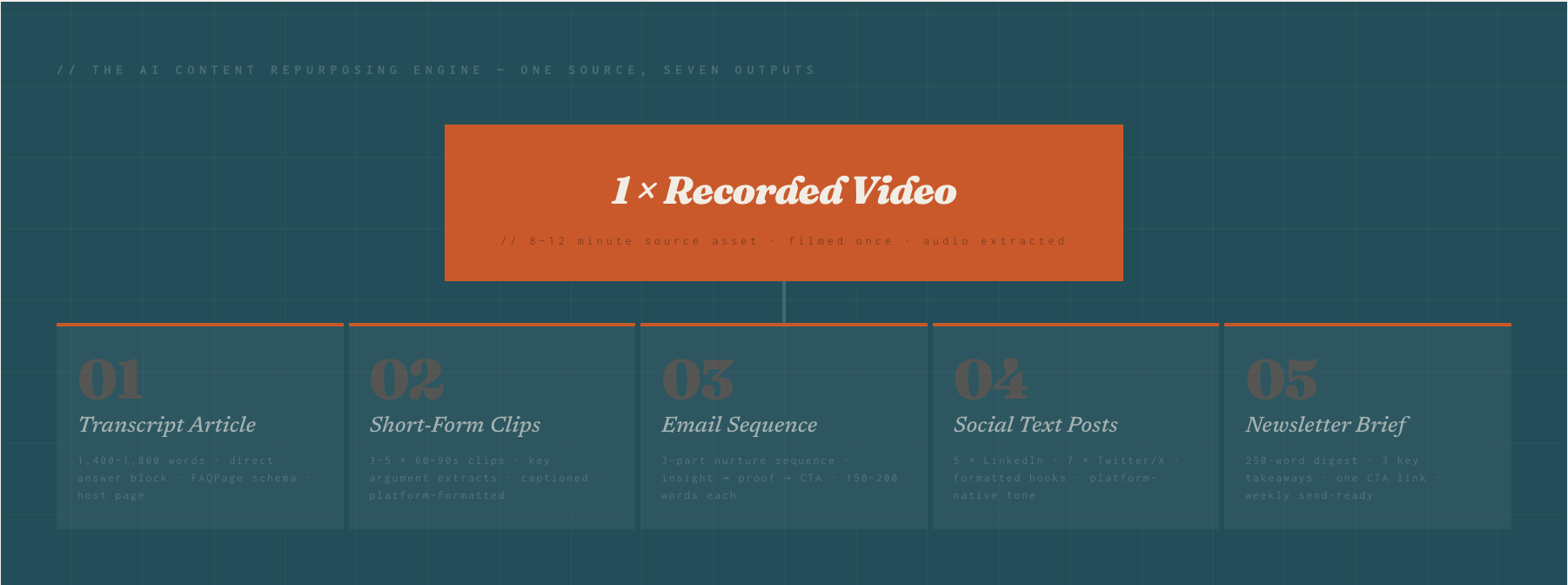
Direct Answer: The AI content repurposing system works by treating every recorded video as a source asset that generates seven distinct content outputs — transcript article, short-form clips, email sequence, social text posts, host page with VideoObject schema, FAQ structured data, and newsletter brief — using AI tools to execute each derivative in under 20 minutes per output. One 10-minute video produces 30 days of multi-channel content at a total weekly production time of 3–4 hours, replacing the agency retainer model with a systematic, founder-executable content engine.
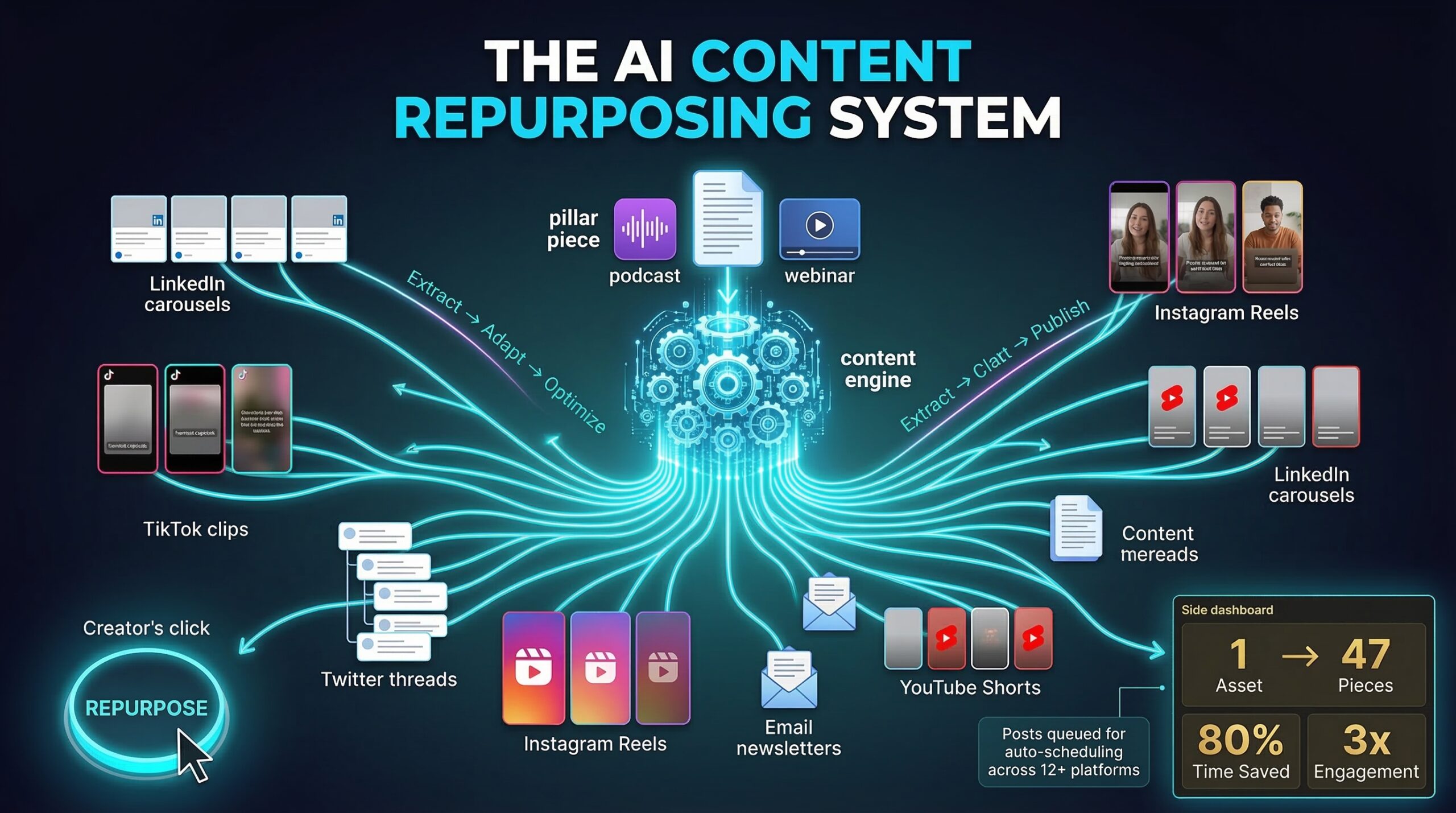
Most SME founders record one video and publish it once. The AI Content Repurposing System turns every video into a 30-day multi-channel content engine — blog articles, email sequences, social clips, schema-marked host pages, and AI-citable structured content — all from a single recorded source asset.
// 01 · The Problem
Why Are Most SME Founders Wasting 80% of the Value in Every Video They Record?
You record a video. You publish it on YouTube or LinkedIn. You move on. Three weeks later, you record another one. The cycle repeats — and every cycle leaves behind six or seven untouched pieces of content that the video already contains, waiting to be extracted by a system you have not yet built.
This is not a creativity problem. It is a systems problem. The content is already there — in the transcript, in the argument structure, in the key data points, in the implied questions the video answers. The AI tools to extract and transform that content into seven different formats exist and cost less than your monthly coffee budget. What most founders lack is the repeatable process that turns a single recording session into a content engine that runs itself for 30 days.
From our experience working with SMEs across industries, the content output gap is the single most expensive inefficiency in the typical founder's marketing stack. A business spending £800 a month on content production is often receiving two blog posts and four social captions — assets that cost three times what they would cost under a systematic AI repurposing workflow, and that represent maybe 20% of the content value available from the same raw material.
// The Leverage Arithmetic
A 10-minute recorded video contains approximately 1,400–1,600 spoken words. That is one complete blog article, five LinkedIn posts, three email paragraphs, twelve Twitter-length insights, one newsletter brief, and a full FAQ structured data block — all without recording a single additional word. The content already exists. The system is what turns it into published assets.
// 02 · The Asset Map
What Specific Content Does a Single Video Actually Contain — and How Is Each Type Extracted?
Understanding what a video contains is the prerequisite to building a systematic extraction workflow. Most founders think of their video as a single asset. It is actually seven. Each requires a different AI extraction prompt and a different output format — but none requires re-recording, re-researching, or generating ideas from scratch.
Output Type
AI Time
Publish Channels
Transcript Article
Full-length blog post with direct answer block, H2 questions, FAQPage schema, and VideoObject schema host page
18 min
Blog · Google AI Overviews
LinkedIn Long-Form Post
1,000-character insight post with hook, argument, data point, and CTA — extracted from the video's primary claim
8 min
LinkedIn · Newsletter
Twitter/X Thread
8–10 tweet thread unpacking the video's core argument with one insight per tweet and a CTA final tweet
10 min
Twitter/X · Threads
Email Nurture Sequence
3-part sequence: Email 1 insight, Email 2 proof/case logic, Email 3 CTA — each 150–200 words, scheduled 3 days apart
20 min
Email list · CRM automation
Short-Form Video Clips
3–5 × 60–90 second clips extracted from the video's highest-energy argument moments, auto-captioned
15 min
Reels · TikTok · YouTube Shorts
Podcast / Audio Episode
Cleaned audio track from the video published as a standalone podcast episode with AI-generated show notes
12 min
Spotify · Apple Podcasts
Newsletter Brief
250-word digest summarizing three key takeaways from the video with links to the full article and YouTube publish
7 min
Email · Substack · Beehiiv
The total AI execution time across all seven outputs is approximately 90 minutes. One recording session, 90 minutes of AI-assisted production, and you have a full 30-day content calendar — across six channels — from a single source asset. The AI is not generating ideas. It is extracting, reformatting, and restructuring content that already exists in the transcript.
// What We See in Real-World Deployments
In practice, the highest-leverage output in the multiplier table is consistently the email nurture sequence — not because email delivers the highest reach, but because it delivers the highest conversion rate per reader. A video that generates 200 views on YouTube and no email follow-up converts at roughly 0.8%. The same content delivered as a three-part email sequence to a warm list of 400 converts at 6–9%. The content is identical; the distribution format determines the commercial outcome.
// 03 · The Schema Layer
Why Does the Host Page and VideoObject Schema Transform a Video Into a Ranking Asset?
The transcript article and the host page are not the same thing — and understanding the distinction is what separates a video that gets watched once from a video that generates organic search traffic for 18 months.
A YouTube-only video publish means your video is indexed by Google as YouTube's content — not yours. The views count on YouTube's domain authority, not your domain's. The citation from any AI Overview or featured snippet goes to YouTube as the publisher. Your brand gets the creative credit; Google gives the ranking equity to YouTube.
A host page publish — a dedicated page on your domain with VideoObject schema embedding the YouTube player — means Google attributes the video to your entity-verified domain. The VideoObject schema fields (name, description, thumbnailUrl, uploadDate, duration, embedUrl) tell Google's structured data parser exactly what the video contains, who published it, and how it connects to your existing topical cluster. The video now contributes to your domain's authority rather than depleting it into YouTube's.
2.1×
More likely to appear in AI Overviews for visual-intent queries when VideoObject schema is on an owned host page vs YouTube-only
68%
Of AI Overview citations go to entity-verified, schema-marked pages — making schema a citation gate, not an enhancement
18mo
Average long-tail organic traffic lifespan for a well-structured video host page on an authoritative domain
The host page does not require design investment. It requires four structural elements: the VideoObject JSON-LD schema block; a 150–200 word AI-generated description using the cluster's entity vocabulary; the transcript article (which becomes the page's written content, serving the text-preference readers alongside the video); and the FAQPage structured data derived from the video's most common implied questions. That is the complete host page. It takes 25 minutes to produce and ranks the video in perpetuity.
Publishing a video without a host page is like running an ad without a landing page. You pay for the reach and capture none of the return. The host page is where the video becomes a durable asset.
// The core distinction between video publishing and video infrastructure in the AI content repurposing system
// 04 · The 30-Day Calendar
How Do You Schedule 30 Days of Content From One Recording Session?
The 30-day distribution schedule is the delivery mechanism that transforms seven extracted assets into a content calendar that fills every channel without requiring additional recording, ideation, or writing. The schedule is not arbitrary — it is designed so that each asset type reaches its audience at the highest-engagement moment for that channel, and so that the same core message reinforces itself across multiple touchpoints in the same 30-day period.
Publish full video to YouTube + owned host page with VideoObject schema
Publish transcript article on blog with FAQPage schema + submit to Search Console
LinkedIn long-form post — hook from the video's primary claim + link to host page
Email 1 of nurture sequence — insight extract — to full email list
Short-form clip 1 published to Reels + TikTok + YouTube Shorts
Twitter/X thread — 8-tweet argument unpack — link to article in final tweet
Email 2 of nurture sequence — proof/case logic — to full email list
Short-form clip 2 — different argument moment — published across short-form channels
Email 3 of nurture sequence — CTA — to full email list
Newsletter brief — 250 words, 3 takeaways, link to full article and video — weekly send
Podcast episode published — cleaned audio + AI show notes — to Spotify + Apple
LinkedIn text post 2 — reframe of the article's counter-argument section
Short-form clip 3 — most quotable moment — published with updated caption for algorithm freshness
Twitter/X single insight — the article's most data-backed claim formatted as a standalone post
LinkedIn post 3 — "What I would do differently" angle based on responses to Day 3 post
Newsletter brief reprise- new framing of the same content for subscribers who missed week 2 send
Short-form clip 4 + 5 — combined with CTA for next video topic announcement
Begin next recording session — previous video continues generating organic search traffic in perpetuity
This calendar fills 30 days across six channels from one source asset. The individual execution time per published piece is 7–20 minutes. The full calendar for one video takes approximately 4 hours of AI-assisted production time — typically spread across a single afternoon at the start of the 30-day cycle. What we consistently see in real-world deployments is that founders who build this system once run it in perpetuity with minimal marginal effort per new video, because the extraction prompts, the schedule template, and the channel-specific formatting guides become reusable infrastructure.
// 05 · The Execution System
How Do You Build the AI Content Repurposing System in One Week?
The system has five components that must be built once and then operated repeatedly. Building all five in one week is achievable — each component requires one focused session of 60–120 minutes. After the build week, the entire system runs from a single recording session trigger.
01
Build the Transcript Extraction Prompt
Create the master prompt that transforms a raw video transcript into a structured blog article. The prompt must specify: transformation of spoken-language transcript into written-language article with paragraph restructuring; insertion of a 40–60 word direct answer block immediately after the introduction; generation of five FAQPage Q&A pairs from the video's implied questions; conversion of key argument sections into H2 headings written as natural-language questions; and output in semantic HTML with JSON-LD schema blocks for Article and FAQPage entities. Test the prompt against one existing video transcript and refine until the output requires less than 15 minutes of editing before publication. Save the final prompt as your permanent transcript-to-article template. Every future video feeds into the same prompt, requiring only the transcript as the variable input.
02
Build the Social Reformatting Prompts (One Per Channel)
Create a separate AI prompt for each social channel, specifying the exact format requirements of that channel. LinkedIn long-form prompt: 900–1,000 characters, three-paragraph structure (hook — argument — takeaway), first line written to stop scroll, no hashtags in body, two hashtags maximum at end, link in comment not body. Twitter/X thread prompt: 8–10 tweets, one insight per tweet, data point in tweet 3 or 4, question in tweet 6 or 7, CTA with article link in final tweet, each tweet under 280 characters including spaces. Short-form caption prompt: 100–150 characters, action verb opening, no link (platform penalises external links in video posts), call to comment rather than click. Each prompt takes the transcript as input and produces a channel-ready post as output. The prompts do not change between videos — only the transcript input changes.
03
Build the Email Sequence Template
Create the three-email sequence template with AI prompts that extract the correct content section for each email's purpose. Email 1 (Insight, Day 4): 150–180 words extracting the video's single most counterintuitive claim — the insight that challenges a common assumption held by your email list. Subject line format: the claim as a statement, not a question. Email 2 (Proof, Day 8): 160–200 words extracting the evidence or mini case logic that supports the Email 1 claim — the data point, the mechanism explanation, or the before/after comparison that makes the claim credible. Email 3 (CTA, Day 12): 120–150 words connecting the insight and proof to the reader's specific situation and offering one clear next step — a call, a download, a demo, or a link to the full video and article. Build the prompts so that all three emails are generated in a single AI session from the transcript, then scheduled in your email platform on publication day.
04
Build the VideoObject Schema and Host Page Template
Create the host page template and VideoObject JSON-LD schema template that are populated from the same transcript extraction session. The VideoObject schema template requires five variable fields: name (the video title), description (the AI-generated 150-word entity-vocabulary-rich description), thumbnailUrl (the YouTube thumbnail URL in the format https://img.youtube.com/vi/[VIDEO_ID]/maxresdefault.jpg), uploadDate in ISO 8601 format, and embedUrl in the format https://www.youtube.com/embed/[VIDEO_ID]. The host page template is the transcript article with the VideoObject schema block in the head section and the YouTube embed player inserted between the direct answer block and the first H2 heading. Generate one complete host page from an existing video to validate the template, then use the same template for every subsequent video — changing only the five variable fields and the transcript content.
05
Build the 30-Day Scheduling SOP and Trigger Calendar
Create the standard operating procedure that triggers the full system from a single recording session. The SOP has two sections: the production checklist (run transcript through five AI prompts in order — article, LinkedIn, Twitter/X, email sequence, newsletter — in a single 90-minute session the day after recording; generate VideoObject schema and publish host page; schedule all social posts in your scheduling tool; load email sequence into your email platform with the correct delay settings) and the distribution calendar (the fixed day schedule for each output type as shown in the 30-day calendar above — stored as a recurring template in your project management tool so that every new video automatically populates a pre-scheduled 30-day calendar). The SOP converts the system from a process you remember and execute inconsistently to a checklist you follow and complete every time in the same order with the same results.
Frequently Asked Questions
What is the AI content repurposing system and how does it work?
The AI content repurposing system is a five-component workflow that extracts seven distinct content outputs from a single recorded video using AI language model prompts, then distributes those outputs across six channels on a fixed 30-day schedule. The seven outputs are: a transcript article with FAQPage schema and host page VideoObject schema, three to five short-form video clips, a three-part email nurture sequence, five LinkedIn posts, a Twitter/X thread, a podcast episode, and a newsletter brief. AI tools execute each extraction in 7–20 minutes using channel-specific prompts that take the video transcript as the only variable input. The total production time for all seven outputs is approximately 90 minutes per video. The system works because a 10-minute recorded video contains 1,400–1,600 spoken words — sufficient raw material for all seven outputs without additional recording, research, or idea generation.
Why is a video host page more valuable than publishing to YouTube alone?
A video host page — a dedicated page on your own domain with VideoObject schema embedding the YouTube player — is more valuable than a YouTube-only publish because it attributes the video's ranking equity to your domain rather than to YouTube. When a video is published only on YouTube, Google indexes it as YouTube's content, and any AI Overview citation or featured snippet appearance credits YouTube as the publisher. When the same video has an owned host page with VideoObject schema, Google attributes the video to your entity-verified domain — meaning the video contributes to your domain's topical authority, generates organic search traffic to your own site, and is cited in AI Overviews under your brand name. Semrush's 2025 research found that video content with VideoObject schema on owned entity-verified domains is 2.1× more likely to appear in AI Overviews for visual-intent queries than the same content published on YouTube without an owned host page. The host page requires 25 minutes to build using the template described in this article.
How many videos per month are needed for the system to produce consistent content output?
One video per month is the minimum to maintain a consistent presence across all six channels using the 30-day distribution schedule. One video produces 30 days of scheduled content — the calendar fills completely from a single source asset, with the final week overlapping with the start of the next video's distribution cycle. Two videos per month produces a 15-day rotation that maintains higher posting frequency on the primary channels (LinkedIn, Twitter/X, email) without requiring additional recording time. From a topical authority perspective, two videos per month aligned to the same topic cluster produces the cluster density signal that contributes to AI Overview citation eligibility within 60–90 days. The critical input is not volume but alignment — ten videos on ten different topics produce no topical authority and no cluster signal, while four videos on a single topic cluster over two months produce measurable authority that compounds with each additional video in the cluster.
What AI tools are needed to run the content repurposing system?
The content repurposing system requires three categories of AI tool. First, a transcript generation tool — YouTube's built-in auto-captioning, Otter.ai, or Descript — to convert the raw video audio into an editable text transcript in under five minutes. Second, an AI language model — Claude, ChatGPT, or Gemini — to run the five extraction prompts (article, LinkedIn posts, Twitter/X thread, email sequence, newsletter brief) from the transcript. Third, a video editing tool with AI clip detection — CapCut, Descript, or Opus Clip — to identify and extract the three to five short-form clip moments from the original video without manual scrubbing. Total monthly cost for all three tool categories is £30–£60 per month at the production volume required for one to two videos per week. This replaces a content agency retainer that typically costs £800–£2,500 per month for equivalent output volume, representing an 80–94% cost reduction at equivalent or higher output frequency.
How does the content repurposing system connect to topical authority and AI citations?
The content repurposing system connects to topical authority building through two mechanisms. The first mechanism is cluster density: when each video in a series is aligned to the same topic cluster and published with a host page and transcript article, the cluster accumulates topical authority with each new video — because each new article adds to the cluster's semantic coverage and creates additional internal link opportunities back to the pillar article. The second mechanism is entity attribution: because every host page includes VideoObject schema on the entity-verified domain, every video's citation contribution goes to the domain's topical authority rather than YouTube's. The combined effect is that a 12-video series aligned to a single topic cluster, published with host pages and VideoObject schema over 90 days, produces measurable AI Overview citation appearances and featured snippet eligibility for the cluster's primary commercial queries — the same outcome that the five-step 90-day topical authority framework produces through written content alone, but extended into the video-intent query categories that written content cannot address.
→ The Compounding Argument
Why the Content You Publish Today Is Still Working for You in 2028
Every host page you publish today with VideoObject schema and FAQPage structured data is an asset that generates organic search traffic and AI citation appearances for as long as the topic remains commercially relevant. The 30-day distribution cycle ends. The ranking does not.
Six months from now, an SME founder who has published twelve videos with the full repurposing system — 84 distributed content assets, 12 schema-marked host pages, 12 transcript articles, 36 email sequences deployed to a growing list — will have a content library that generates inbound traffic, AI Overview appearances, and email conversions on autopilot. Their competitor, who published the same twelve videos to YouTube alone, will have twelve videos with declining organic reach and zero accumulated ranking equity.
The system takes one week to build. One video to trigger. And it compounds in perpetuity from that point forward. The question is not whether to build it — it is how many videos you have already published without it.