
Direct Answer: Integrating AI without disruption requires a staged approach: audit your highest-friction workflows first, deploy one AI tool at a time with a 30-day evaluation window, involve your team before rollout—not after—and measure against a pre-defined baseline. The businesses that succeed treat AI adoption as an operational redesign, not a software installation.
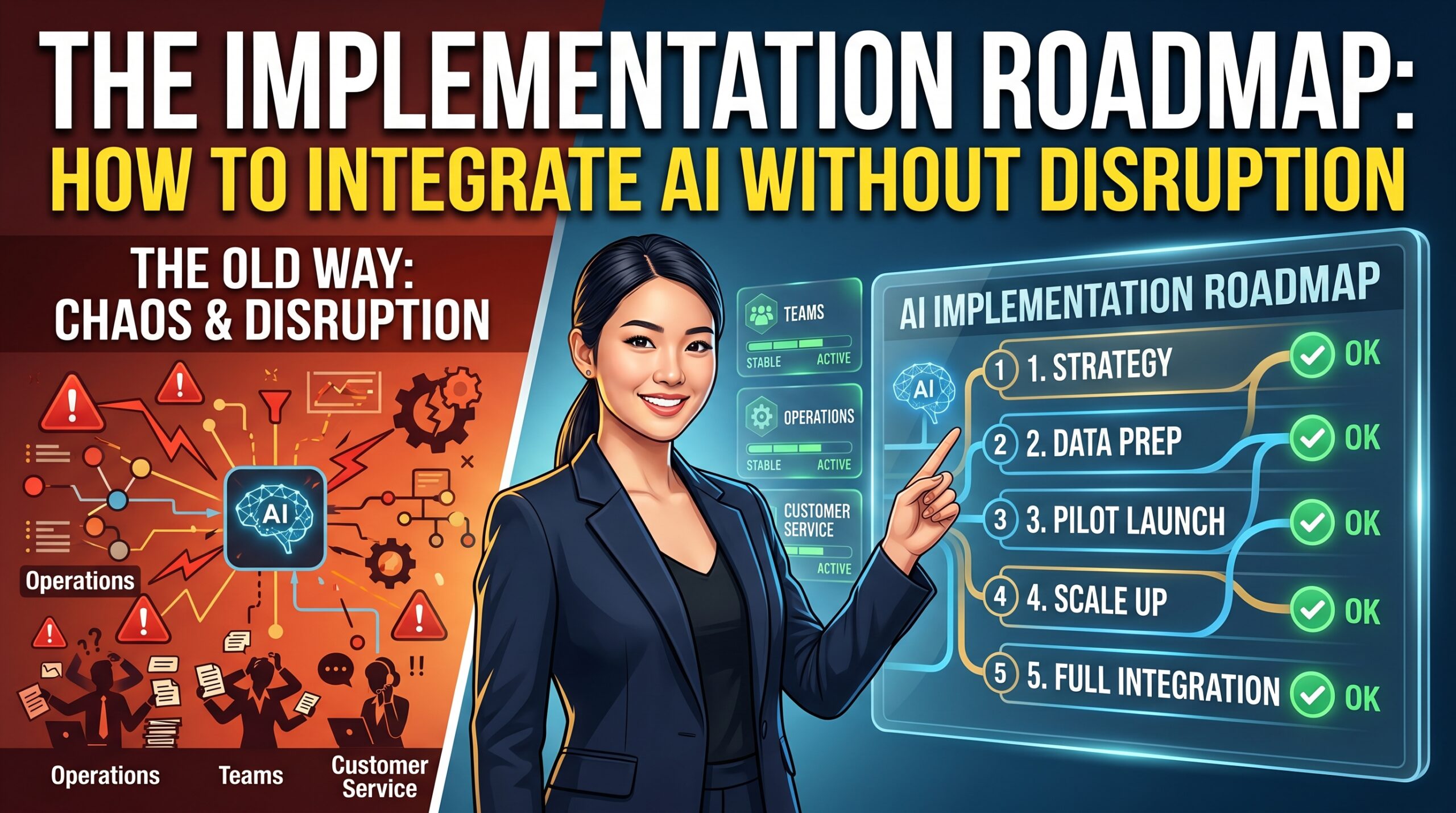
Here's what nobody tells you when you're sold on AI: the technology is almost never the problem. The problem is the rollout.
From our experience working with SMEs across content, operations, and marketing—businesses with 15 to 150 people—the pattern is consistent. A founder gets excited by a demo. A tool gets purchased. It lands in the team like a grenade. Six weeks later, adoption is near zero, two people are quietly annoyed, and the software sits unused while the subscription keeps renewing.
This article is the roadmap we wish more founders had before they started. Not a breathless list of AI tools. A framework for how to actually integrate AI into a functioning business—without the chaos, without the wasted spend, and without losing the trust of your team in the process.
Why Does AI Integration Fail in SMEs—Even When the Tool is Good?
The failure mode almost always starts with sequencing. A business skips the diagnosis phase and jumps straight to the solution. The result is a tool deployed against a workflow that was never mapped, owned by a team that was never consulted, and evaluated against metrics that were never established.
According to McKinsey's State of AI 2024 report, only 27% of companies report extracting significant value from their AI investments. For SMEs—where change management resources are thin and team trust is fragile—that number is likely lower.
27%
of companies report significant ROI from AI tools (McKinsey, 2024)
3×
more likely to succeed when employees are involved before rollout
60%
of SME AI projects fail due to process mismatch, not tool limitations
What we consistently see in real-world deployments is that SMEs underestimate two things: the cost of context-switching for their team, and the time required to build trust in a new output. You're not just installing software. You're asking your team to change how they think about their own work.
"AI doesn't disrupt businesses.
Poorly timed, poorly explained change disrupts businesses.
AI is just the catalyst."
The good news? This is entirely solvable. The businesses that get this right share a few clear patterns—and none of them require enterprise-scale resources to execute.
What Should You Audit Before Buying a Single AI Tool?
Buying AI tools before mapping your workflows is like hiring before writing the job description. You'll get something, but not what you needed.
The right starting point is a friction audit—a structured look at where time, money, and energy are leaking from your current operations. We run this with clients before recommending a single tool, and it almost always surfaces surprises.
The Friction Audit: 4 Questions
01 Where does your team lose the most time per week?
Focus on recurring tasks, not one-off projects. Anything that happens weekly is a leverage point. Think: content production, client reporting, first-draft writing, data aggregation.
02 Which outputs have the highest cost-to-quality ratio?
Where are you paying human hours to produce something that is consistently "good enough" rather than exceptional? These are your first candidates for AI augmentation—not replacement.
03 Which processes require judgment, and which require execution?
This is the most critical distinction. AI thrives at execution-heavy tasks with clear inputs and acceptable outputs. Strategic judgment, relationship management, and creative direction stay human-led.
04 What does "good" look like for each output—and can it be measured?
If you can't define success before deployment, you can't evaluate whether the tool is working. Set a baseline before you start: time-on-task, output volume, error rate, or satisfaction score.
This process takes two to three hours and will save you months of misdirected spend. In practice, this breaks down when teams rush past it because the tool demo was exciting. Don't let excitement skip the diagnosis.
What Is the Correct Sequencing for AI Rollout in a Small Business?
The businesses that integrate AI cleanly follow a phased approach. They don't try to transform everything at once. They pick one workflow, prove the value, then expand. This isn't timidity—it's how you build organizational muscle around a new way of working.
Phase 1 Wk 1–2
Diagnosis & Baseline Setting
Complete the friction audit. Identify one workflow—ideally one that is high-volume, lower-stakes, and has a measurable output. Document the current process and set your baseline metrics. This becomes your control group.
Phase 2 Wk 3
Team Alignment Before Technology Selection
Brief the people who own the workflow before you select the tool. Not to get permission—to get signal. They will identify constraints, edge cases, and quality requirements that no vendor demo will surface. This conversation also dramatically increases adoption.
Phase 3 Wk 4–6
Controlled Pilot (One Tool, One Workflow)
Deploy a single tool against a single workflow. Run it in parallel with the existing process for the first two weeks—don't replace, augment. This surfaces gaps without creating business risk. Document what the AI does well, what it gets wrong, and what still requires human judgment.
Phase 4 Wk 7–8
Evaluate Against Baseline
Compare your pilot results against the baseline you set in Phase 1. Not against the vendor's claims—against your own reality. If the tool isn't producing measurable improvement after 30 days of use, either the process needs adjustment or the tool isn't the right fit. Both are acceptable conclusions.
Phase 5 Wk 9+
Institutionalize, Then Expand
If Phase 4 confirms value, codify the new workflow into a standard operating procedure. Document the human checkpoints, the AI tasks, and the escalation paths. Only when this is stable should you identify the next workflow to improve. This is how compounding happens.
Common Failure Point: Skipping to Phase 5 after a successful Phase 3. The pilot worked, so you immediately roll out to five more workflows simultaneously. This stretches your team's change-management capacity and often causes the initial success to degrade as focus dilutes. Patience here isn't caution—it's strategy.
How Do You Get Your Team On Board With AI Without Creating Anxiety?
The anxiety question is real. According to the World Economic Forum's Future of Jobs Report 2025, 41% of employers anticipate reducing headcount in roles that AI can perform. Your team has read that headline too.
The framing you use in your first conversation about AI at work will either build trust or start a slow erosion of it. Get this wrong and you'll be fighting passive resistance for months.
What works, consistently, is leading with the "friction removal" framing rather than the "efficiency" framing. There's a meaningful difference. Efficiency implies doing more with less. Friction removal implies making someone's actual day better.
Ask your team: "What's the work you do that feels like a waste of your capability?" That question surfaces different answers than "what takes too long?" And the answers to the first question are your best candidates for AI augmentation—because the person doing the work will actually want to use it.
"The teams that adopt AI fastest are the ones whose manager asked them what they hated about their job—before picking any tool."
Beyond framing, a few practical moves matter:
Make the human checkpoints explicit. Every AI-assisted workflow should have a clearly defined moment where a human reviews the output. This isn't a lack of trust in the tool—it's quality infrastructure. It also signals to your team that their judgment is still the final word.
Don't mandate, invite. Start with the team member most likely to be enthusiastic. Let their experience become the internal case study. Social proof within a team works faster than a directive from a founder.
Define what AI will not do. A clear scope boundary reduces existential anxiety faster than reassurance. "AI will draft the first-pass copy. You'll refine, position, and approve it" is far more calming than "don't worry, AI is just a tool."
Which AI Use Cases Actually Deliver ROI for SMEs in the First 90 Days?
Let's be specific. Not all AI use cases are created equal, and some of the most-hyped ones require infrastructure that SMEs simply don't have. Here's where we see measurable return, fastest.
High-ROI AI Use Cases: 90-Day Window
Content Production at Scale
AI-assisted drafting, repurposing, and formatting for blog posts, social content, and video scripts. Teams typically reduce first-draft time by 60–70%, freeing human hours for strategy and editing. This is the highest-volume, most measurable win for SME marketing teams.
Client Communication Drafting
Email templates, proposal frameworks, and follow-up sequences. AI handles structure and tone—humans add relationship context and nuance. Low risk, fast learning curve, immediate time savings.
Research Aggregation & Summarization
Market research, competitive analysis, and meeting briefing preparation. AI compresses hours of reading into structured summaries. Requires human validation but dramatically reduces the time to insight.
Video Content Infrastructure
AI-powered video production—scripting, editing workflows, and repurposing long-form into short-form—is rapidly becoming the highest-leverage content play for SMEs. A single piece of content can generate 15–20 derivative assets with the right infrastructure. This is precisely where Clipkoi is built to operate.
Notice what's not on this list: fully autonomous AI agents, complex data pipelines, and AI-generated customer service at scale. Those aren't impossible—they just require infrastructure and change management that most SMEs aren't set up for in the first 90 days. Build the foundation first.
What Metrics Actually Tell You If AI Integration Is Working?
Vanity metrics kill clarity. "We're using AI now" is not a result. Here's what to actually measure.
Time-on-task: For any workflow you've AI-augmented, track the human hours required before and after. This is your baseline ROI metric. If a team member was spending 6 hours per week on a task and now spends 2, that's 4 hours recovered. Assign a cost to that.
Output volume at constant quality: Especially relevant for content teams. Can you produce 2× the content without 2× the headcount, while maintaining your editorial standard? Track output volume against a quality threshold (internal review score, engagement rate, or conversion rate—whatever is most relevant to the asset type).
Error rate and revision cycles: If AI assistance is adding revision cycles rather than removing them, the prompt design or tool selection is wrong. Track the number of rounds of human editing required per AI-assisted output, and monitor it over time. It should decrease as your team builds prompting fluency.
Team sentiment: A quarterly pulse check (3–5 questions, anonymous) on how the team feels about the AI-assisted workflows. Not to validate feelings—to surface friction before it becomes a retention problem.
Six months from now, if you've implemented this framework correctly, you'll have a documented set of AI-assisted workflows with clear before/after data, a team that understands and trusts the process, and a compounding advantage over competitors who are still experimenting without structure.
What's the Honest Trade-Off You Should Know Before You Start?
We'd be doing you a disservice without this section.
Short-term speed loss is real. The first 4–6 weeks of any AI integration are slower than your current process. You're building new muscle. Expect this and plan for it. Teams that aren't prepared for it interpret the learning curve as evidence the tool doesn't work, and abandon it prematurely. The first 4–6 weeks of any AI integration are slower than your current process. You're building new muscle. Expect this and plan for it. Teams that aren't prepared for it interpret the learning curve as evidence the tool doesn't work, and abandon it prematurely.
AI outputs require taste. The quality of what AI produces is directly proportional to the quality of the brief and the judgment of the reviewer. If your team doesn't have strong editorial or creative standards, AI will produce mediocre work at scale. It amplifies capability—in both directions.
Vendor lock-in is a real risk. The AI tool landscape is moving fast. Invest in workflows and principles that are transferable, not just in a specific platform. If your entire content infrastructure is dependent on a single tool's API, a pricing change or product pivot becomes an operational crisis.
Data quality matters more than people expect. AI tools trained on your business data are only as good as that data. If your historical content, CRM, or process documentation is messy, AI will inherit and amplify the mess. A data hygiene pass before deployment pays dividends.
Frequently Asked Questions
How long does it take to see ROI from AI integration?
For high-volume, execution-heavy workflows like content production or email drafting, you can measure time savings within 30 days. Broader business impact—lead volume, content reach, revenue influence—typically compounds over 90–180 days as your team builds fluency and the output volume scales.
Do we need a technical team to integrate AI tools?
For most SME-appropriate AI tools today, no. The majority of high-value applications are no-code or low-code. You need a process-clear operator—someone who understands the workflow deeply—more than you need a developer. Technical complexity only enters when you're building custom integrations or fine-tuning models on proprietary data.
What's the biggest mistake founders make when adopting AI?
Deploying too broadly, too fast. The excitement of a successful pilot often triggers an over-expansion: five new tools, three new workflows, simultaneously. This overwhelms the team's change-management capacity and often causes the initial gains to disappear as attention spreads thin. One workflow at a time, done properly, compounds faster than a messy broad rollout.
How do I pick the right AI tool for content production?
Start with output fidelity (does it match your brand voice with reasonable prompting?), then workflow fit (does it integrate with how your team already works?), then cost-per-output economics. Avoid tools that require significant infrastructure just to get started. For SMEs, the best content AI is the one your team will actually use consistently—not the one with the most impressive demo.
Is AI video production realistic for a small business without a video team?
Increasingly, yes. AI-powered video production platforms have compressed the resource requirements dramatically. A structured brief, a clear brand voice, and the right infrastructure can enable SMEs to produce video content at a volume and quality previously requiring a dedicated production team. The category is maturing fast—and the early-adopter advantage is still available.